
Most of the work with a lead still happens outside the CRM. A call from someone's personal phone. A WhatsApp reply typed from a phone on the way to lunch. A follow-up campaign built in a tool that has never heard of the lead it's messaging. The CRM ends up holding a record of the customer — just not a record of what was actually said to them.
That's the gap Mihu AI closes. After a thorough review process, Mihu AI is now officially live on the Zoho Marketplace — a widget that sits directly on your lead and contact records, so calling, messaging, and campaign follow-up happen right where the record already lives, and get logged automatically. No separate tab, no separate login, no copying phone numbers between tools.
Where the real work has been happening
Most sales teams already have what they need to follow up — a phone, WhatsApp, maybe a dialer. The problem was never the tools. It was where the work happened:
- Calls placed from a personal phone or a separate dialer, disconnected from the CRM record
- WhatsApp follow-ups sent from a phone or WhatsApp Web, with no trace back to the lead
- Adding someone to a follow-up sequence meant switching to yet another campaign tool
- By the time anyone logged what happened, half the details were already forgotten
The result: an incomplete lead history, reps re-asking questions customers already answered, and managers who can't see what actually happened on a deal.
The widget: everything you already do, on the record itself
Mihu AI adds a widget directly to Zoho CRM lead and contact records. Calling, messaging, enrolling someone in a follow-up sequence — the things your team already does — now happen right there, and get written back automatically.
Everything your team already does — just without leaving the record.
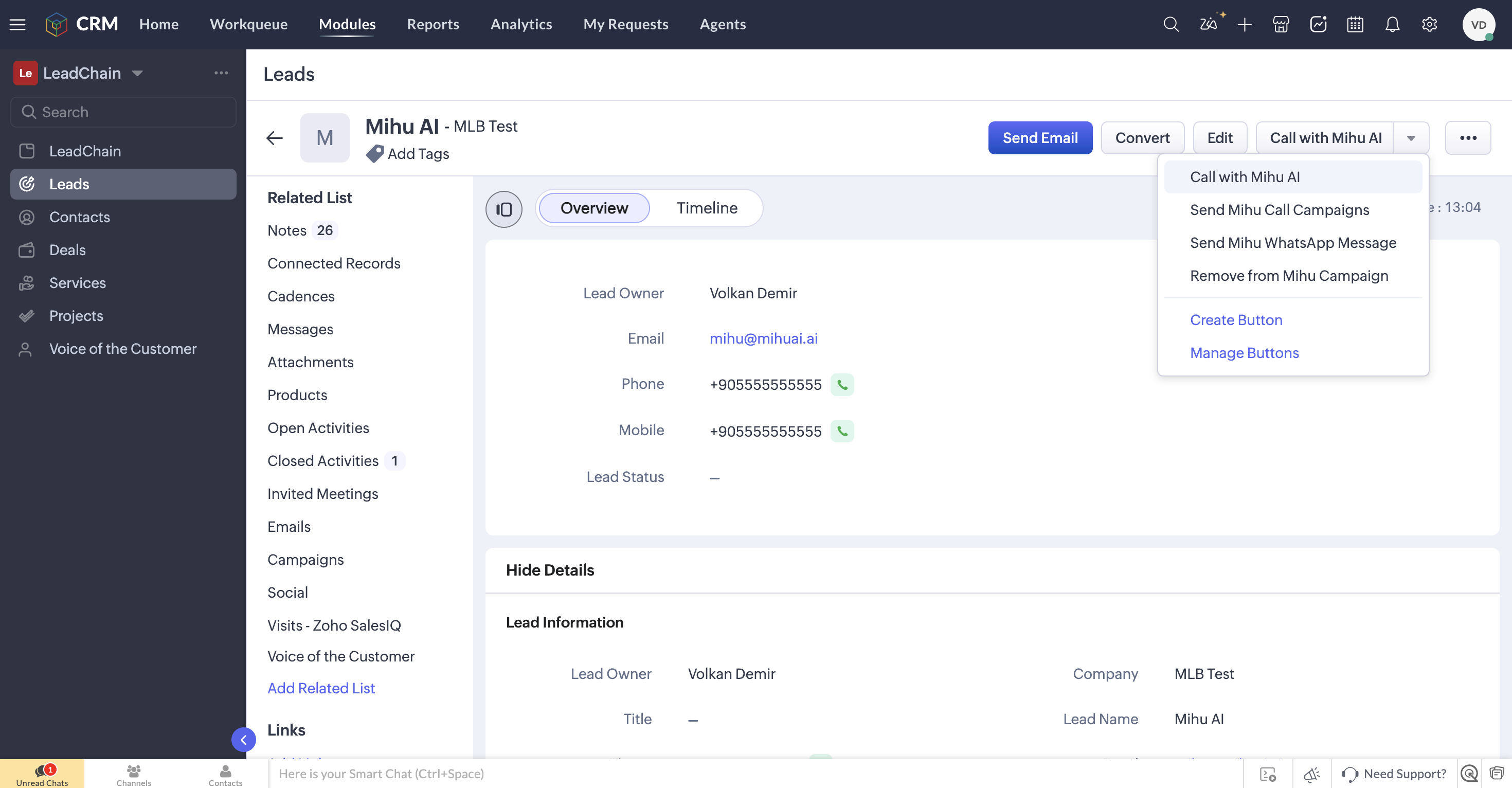
Every action lives on one button on the record itself — call, enroll in a campaign, send WhatsApp, or remove — with 26 notes already logged automatically underneath.
What you can do, right from the lead record
🔗 Connect your agent
Link your Mihu AI account and voice/WhatsApp agent to Zoho CRM once. From then on, it's available on every record.
💬 Send WhatsApp with templates
Pick a pre-approved template, fill in the parameters, and send it in one click, without leaving the CRM.
📋 Add to a campaign
Enroll a lead into a calling or messaging campaign directly from their record — or remove them once they've converted.
📝 Automatic logging
Every call and message is written back automatically as a note — outcome, content, and timestamp included.
Use case. A lead comes in from a website form. A rep opens the record, sees the Mihu AI widget already connected, and calls straight from there — no dialer, no dialing by hand. The call ends, and the outcome is already sitting on the timeline before the rep has even opened a new tab.
Call, WhatsApp, or enroll — one button on the record
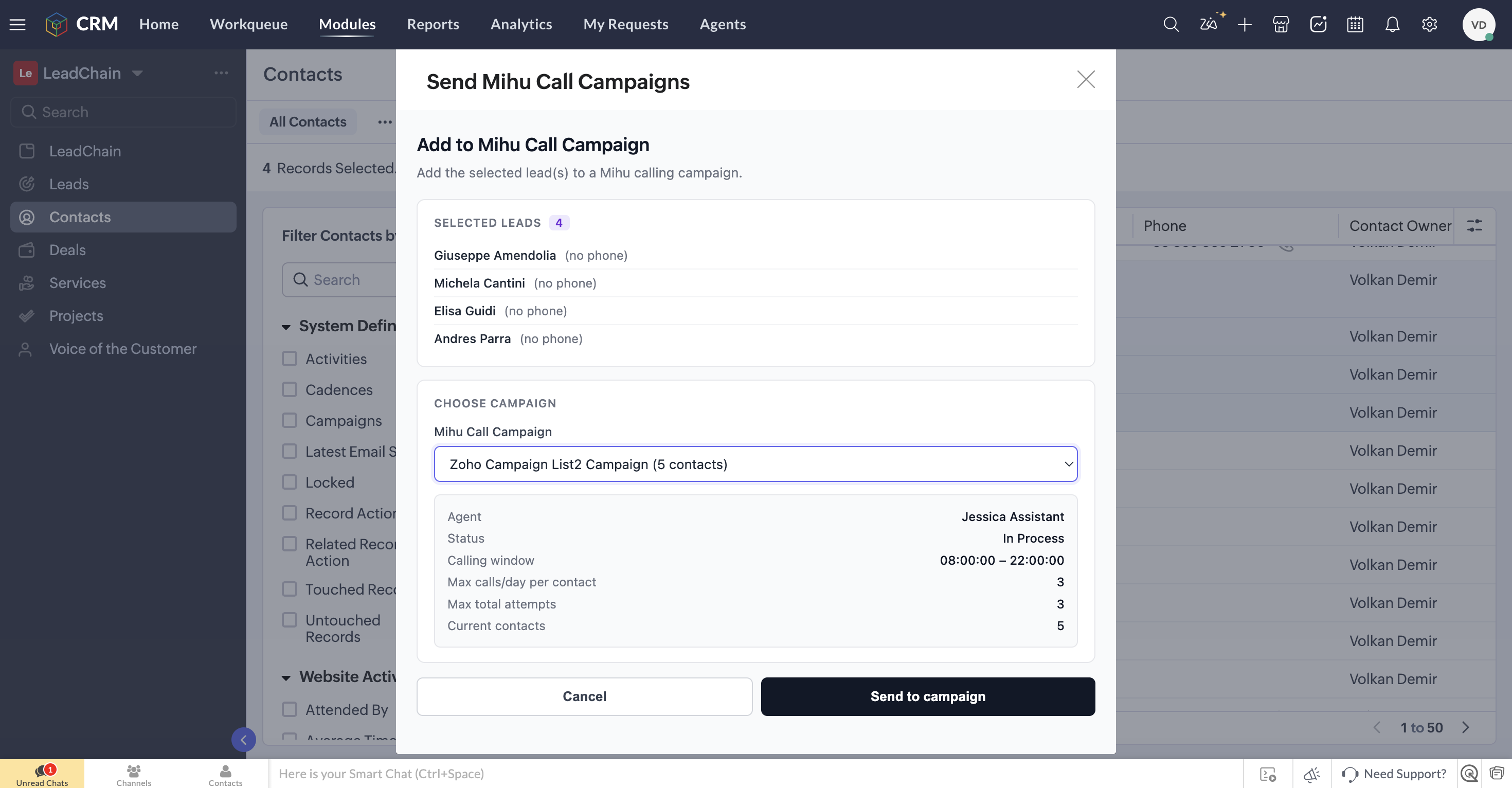
One button on the record covers it all — call now, enroll in a call campaign, send a WhatsApp message, or remove from a campaign.
- A rep opens a new lead, sees the Mihu AI widget already connected, and sends a WhatsApp follow-up with two clicks — no switching apps.
- A lead that's gone quiet gets added to a follow-up campaign directly from their record, instead of being exported to a spreadsheet.
- A manager opens the lead timeline later and sees exactly what was said and sent — because it was logged automatically, not typed up from memory.
Use case. A lead has gone quiet for a week. Instead of pulling a list into a spreadsheet, the rep opens the record and adds them to a re-engagement campaign in two clicks. The next call and message both happen on schedule, and both land on the same timeline as everything before them.
Setting it up takes minutes, not a project
- Search for "Mihu AI for Zoho CRM" on Zoho Marketplace, or go directly to the app listing
- Click Install and authorize access to your Zoho CRM account
- Connect your Mihu AI account and agents from the widget settings
- Start sending messages and calling leads and contacts directly in Zoho CRM
No server setup, no code, no custom integration work required.
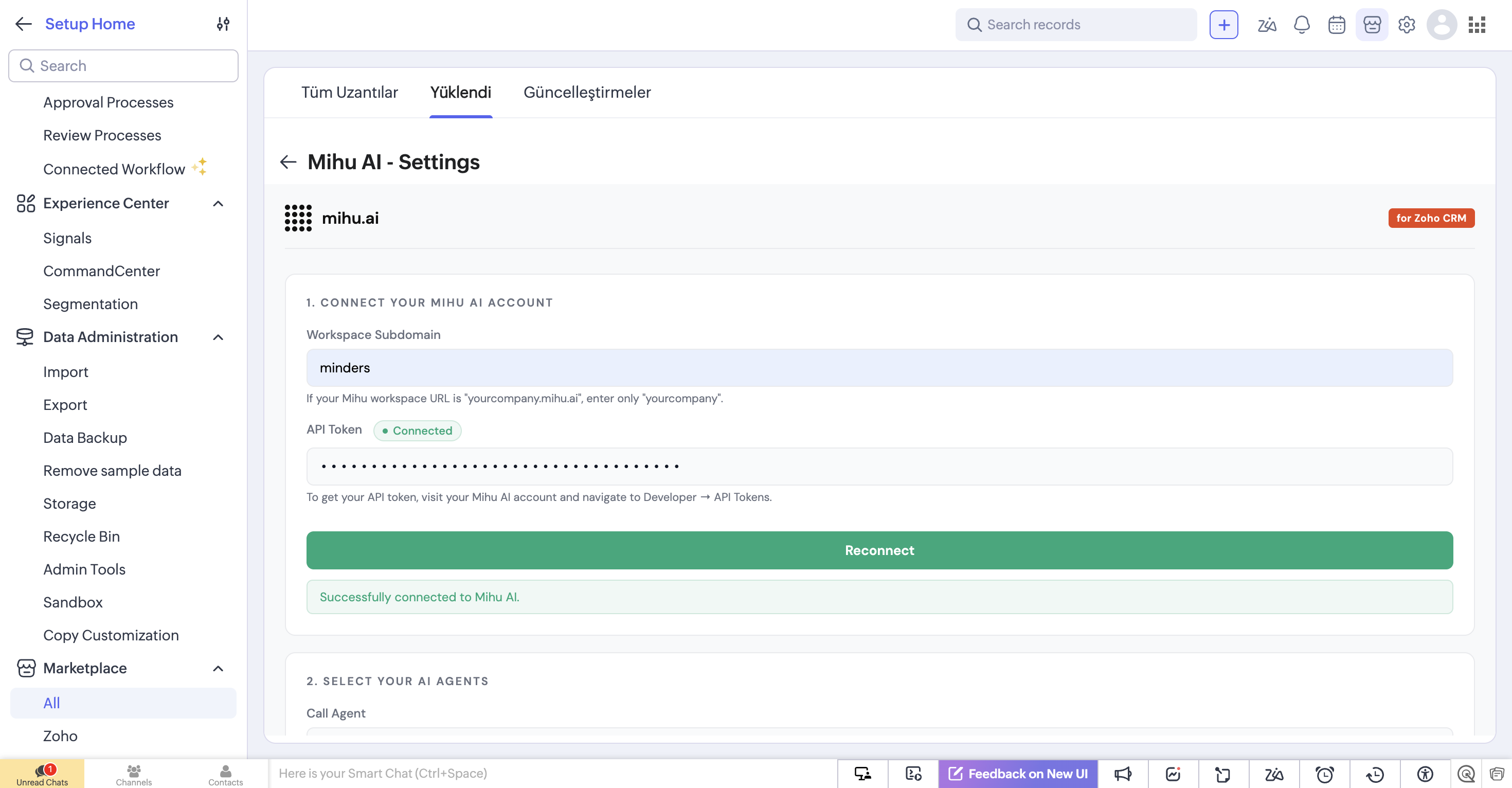
Connect your Mihu AI account with your workspace subdomain and API token, then choose your AI agents.
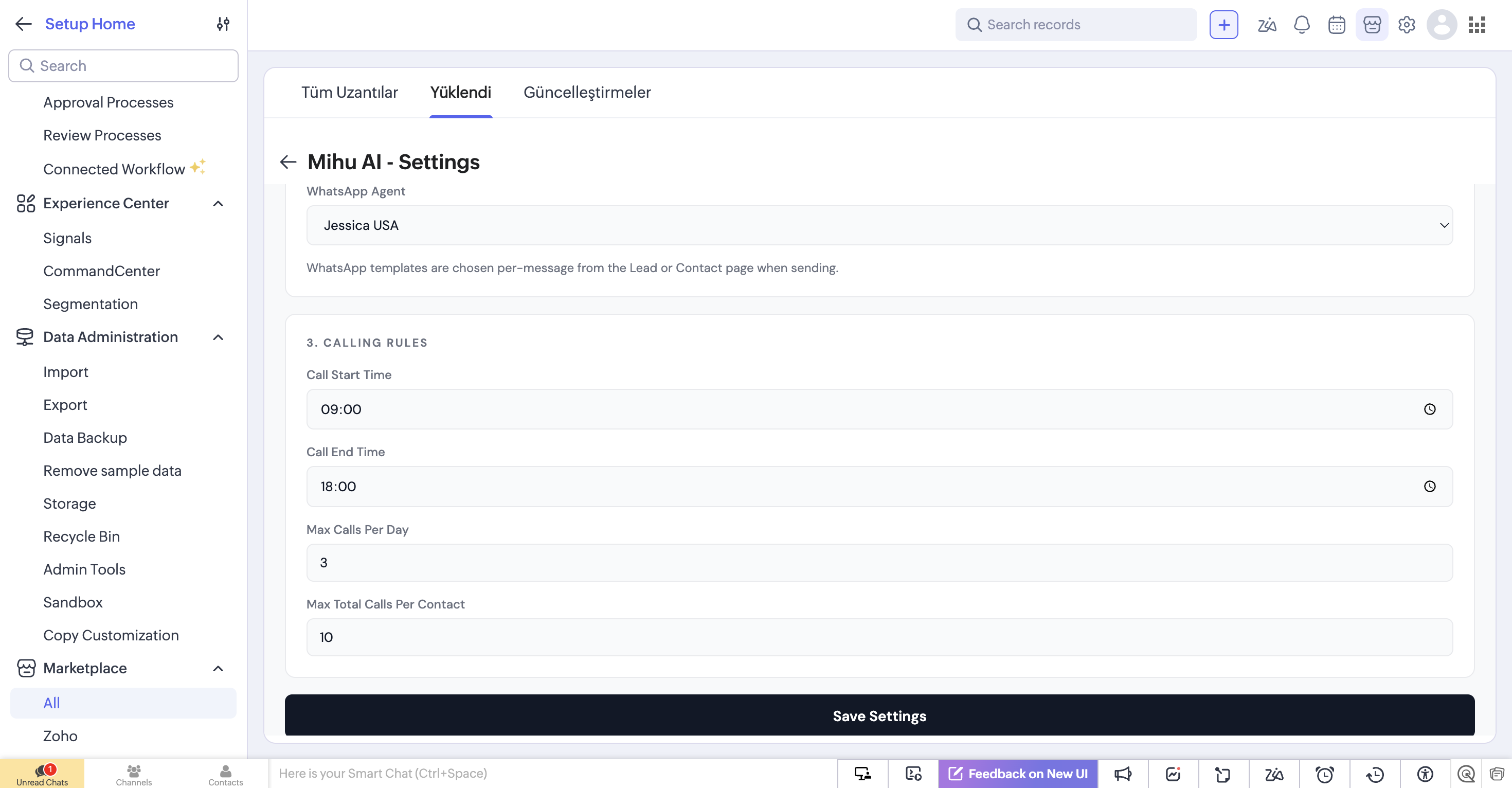
Connect your WhatsApp agent and set calling rules — hours, daily limits, per-contact caps — right from the widget settings.
Frequently asked questions
Do I need to install anything outside Zoho CRM?
No. Mihu AI installs as a widget from Zoho Marketplace and runs natively on your lead and contact records. There's no separate app to open and no server to set up.
Does it work with my existing Mihu AI agents?
Yes. You connect your existing Mihu AI account and voice/WhatsApp agents once during setup, and they become available on every Zoho CRM record from then on.
Is every call and message logged automatically?
Yes. Every call and message sent through the widget is written back to the record as a note automatically — outcome, content, and timestamp included, with nothing to log by hand.
Can I control who gets called, and when?
Yes. Calling rules — hours, daily call limits, and per-contact caps — are set once in the widget settings and apply across every record.
Try it today
If your team runs Zoho CRM and you're tired of the real conversation happening somewhere the CRM can't see, Mihu AI closes that gap.
Find Mihu AI on Zoho Marketplace →